PRA Site Selection Behavior
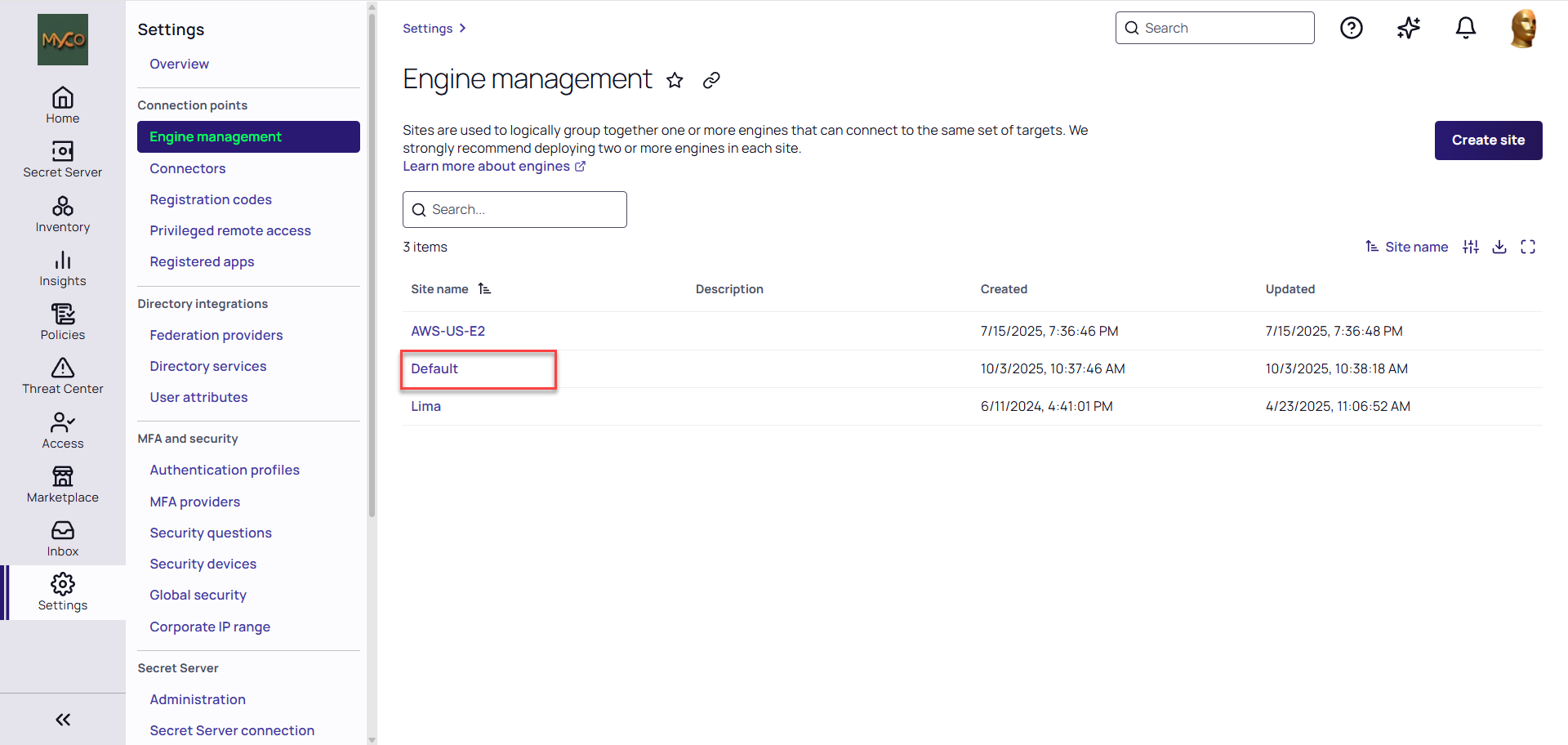
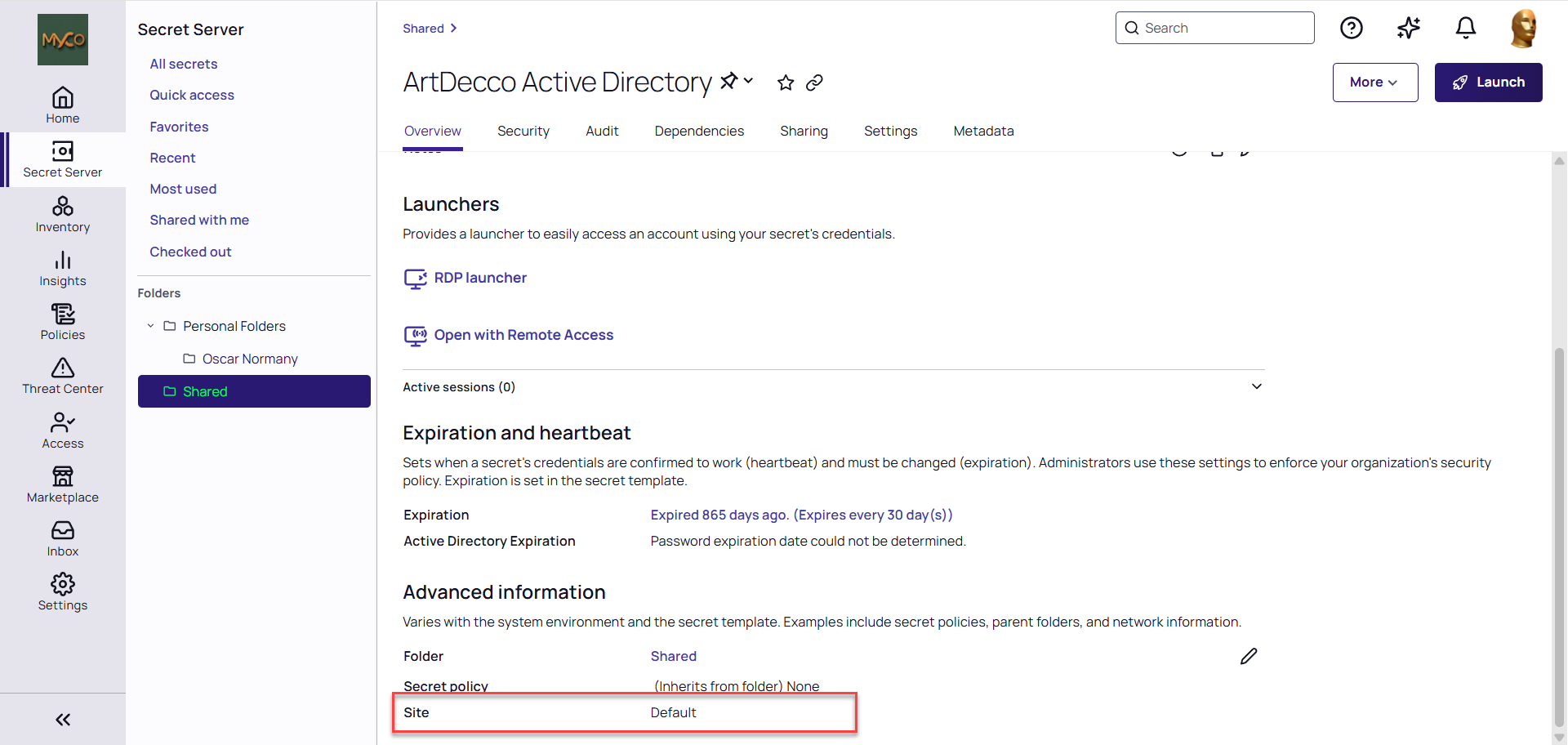
When launching a session in Privileged Remote Access (PRA), the system can automatically select a Platform Engine site based on the default site configuration of a secret. If the name of a Platform Engine site matches the default site name set on a secret, the PRA workload on a Platform Engine within that site will be automatically used for the session. This eliminates the need to manually select a site.
At launch, PRA builds one combined list from the Engine Management sites and the legacy PRA sites (shown on the Sites & Engines tab of the Privileged remote access page). Sites with exactly the same name in both lists are treated as a single site. PRA then compares the site name on the secret against that list; the comparison ignores capitalization. If only one site exists in total, PRA uses it without comparing names.
Example Scenario
Consider a scenario where you have a Platform Engine site named Default and a Verify Privilege Vault Distributed Engine site also named Default, configured as the secret's default site. In this case, a PRA workload will be automatically selected from the pool of Platform Engines deployed to the Default site, facilitating the user's remote connection without any additional site-selection prompts.
Handling Non-Matching Sites
If more than one site exists and none of them matches the site name on the secret, users are prompted to select an appropriate site to facilitate the connection. This ensures that the connection can still be established even if automatic site selection is not possible. See Managing Engine Sites and Verify Privilege Vault sites for more information.
A matching site is used even if it has no engines. The prompt is not shown when the site name on the secret matches a legacy PRA site that has no engines assigned. In that case PRA selects the empty legacy site, and the launch fails with the error Engine unavailable even though a Platform Engine is online in an Engine Management site with a different name. This commonly happens with a legacy PRA site named Default that was left behind after upgrading to the Platform Engine. To diagnose and resolve it, see No Engine Appears Under Privileged Remote Access.
Forcing the Site Selection Prompt
Because a matching site is pre-selected automatically, the site selection dialog is skipped whenever any site name matches the site name on the secret, and also whenever only one site exists. If you want users to be prompted to choose a site, make sure at least two sites exist and rename the PRA site so that its name no longer matches the site set on the secret:
-
For a Platform Engine site, see Editing a Site. The Engine Management Default site cannot be renamed, and no other site can be renamed to Default.
-
For a legacy PRA site, see Renaming PRA Site. Site names can contain only letters, numbers, hyphens, and underscores.
Renaming a site changes the name used for site matching at launch. This affects site pre-selection for every secret that references that site name, not only the secret you are currently working with.