Setting Up Use My Account
You can set up Use My Account (UMA) so you can access enrolled Linux/UNIX computers without an additional login step. UMA provides single sign-on to Linux computers for users who are logged in to the Verify Privileged Identity Platform.
This section describes several different ways to set up Use My Account for Linux/UNIX computers.
Using IBM Security OpenSSH
To automatically set up UMA for *nix systems, run the agent_setup.sh script during the agent installation.
Using OS Stock Version of OpenSSH
The agent_setup.sh script automatically sets up UMA during the agent installation process.
Using Automatic Script for UMA
-
Navigate to where you downloaded the agent from the IBM Security Marketplace.
-
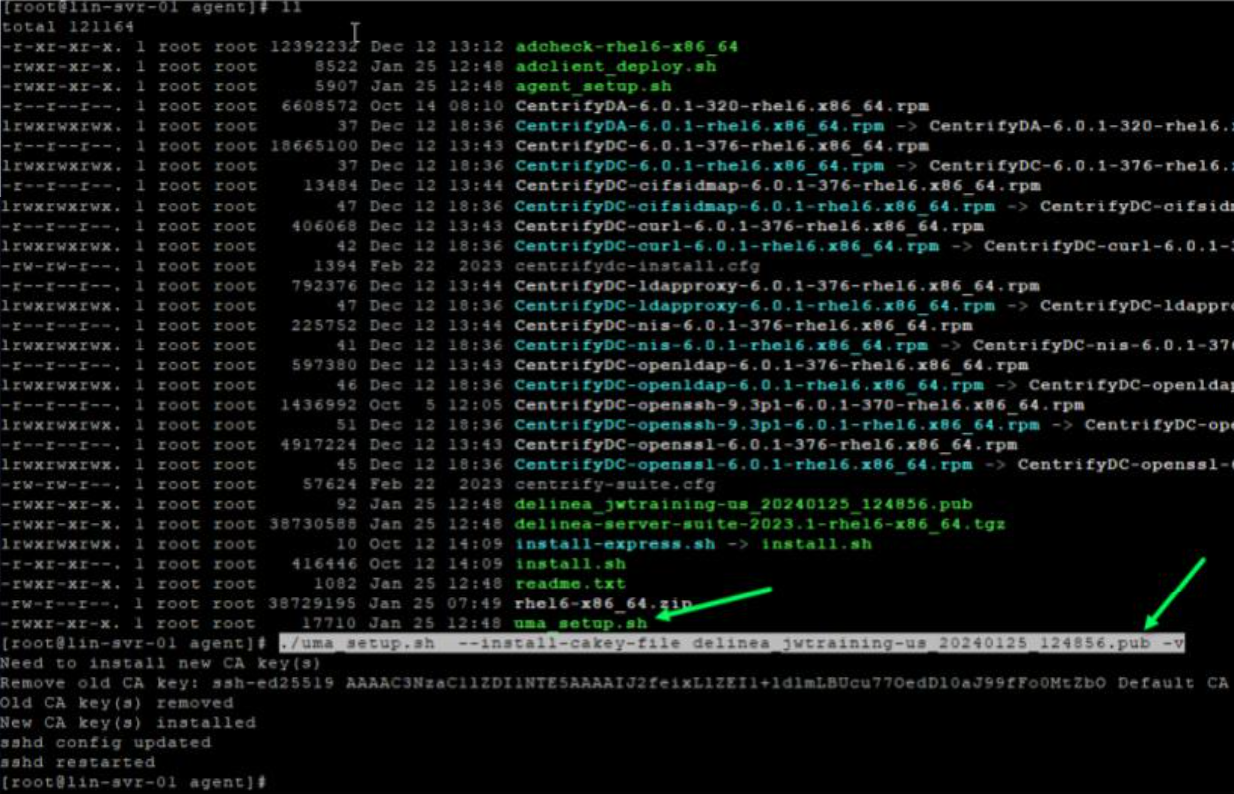
Run the following script with root permissions:
./uma_setup.sh --install-cakey-file delinea_<tenantname>_date.pub -v
Example:
./uma_setup.sh --install-cakey-file delinea_jwtraining-us_20240125_124856.pub –v
Using Manual Steps
-
Navigate to and open the folder where you downloaded the agent from the IBM Security Marketplace.
The agent is a .pub file in the following format:
delinea_{tenant-name}_{download-date}.pub -
Copy the .pub file to the ssh directory.
Example:
cp delinea_{tenant-name}_{download-date}.pub /etc/ssh/users_ca.pubcp delinea_fishing_20231213_041058.pub /etc/ssh/users_ca.pub -
Make a backup copy of the
sshd_configfile:cp /etc/ssh/sshd_config /etc/ssh/sshd_config_121323bk -
Edit the
sshd_configfile with the following lines:-
Example command:
vi /etc/ssh/sshd_config -
AuthorizedPrincipalsCommand /usr/bin/adquery user -P %u -
AuthorizedPrincipalsCommandUser root -
TrustedUserCAKeys /etc/ssh/users_ca.pub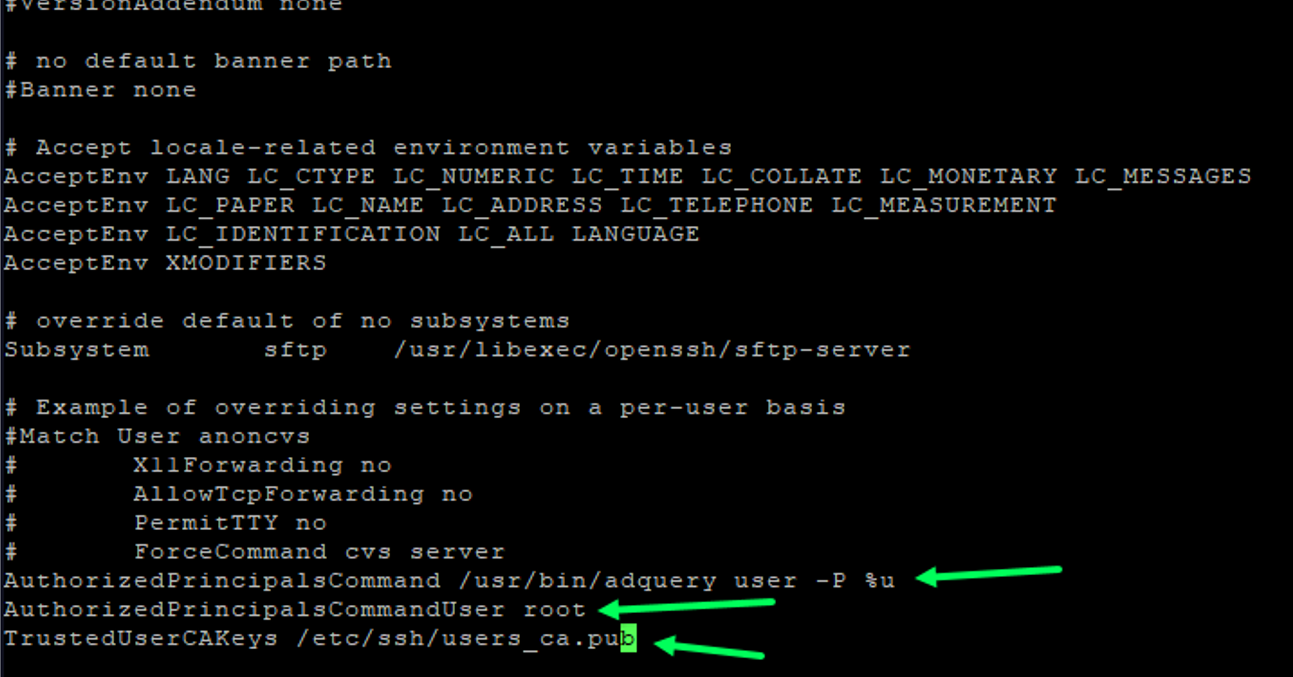
-
-
Restart OpenSSH Service.
Example:
systemctl restart sshd.service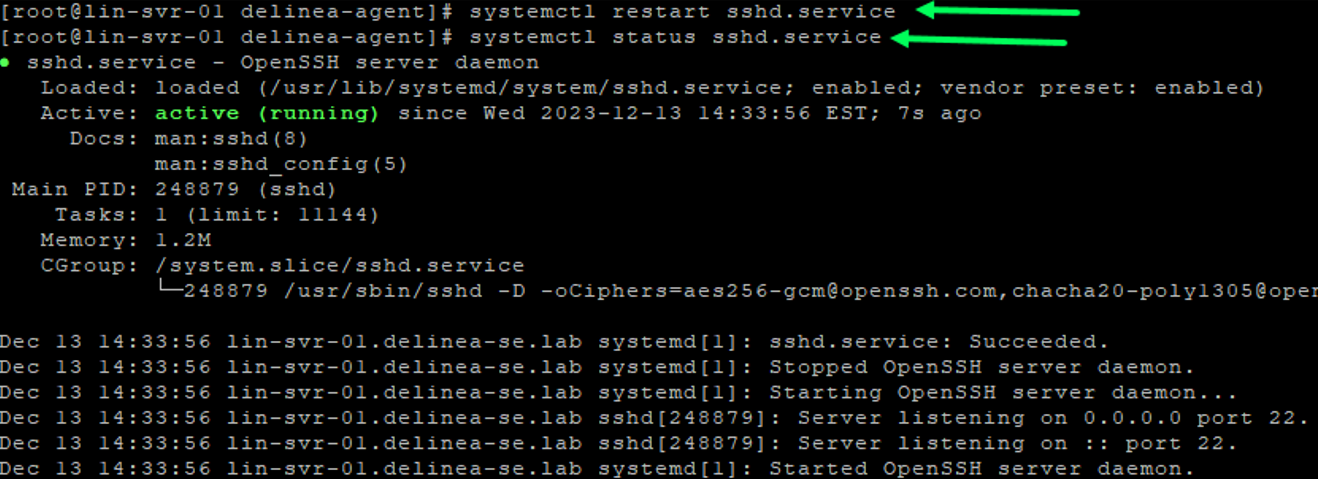
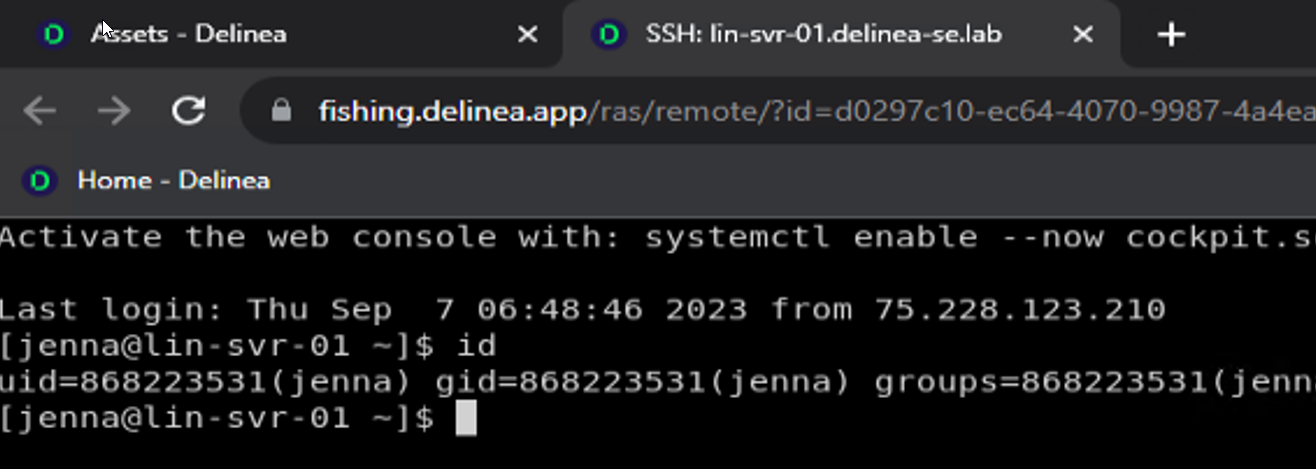
Test Use My Account
When the Privilege Control Agent is used, UMA is only for *nix systems with the agent installed that is joined to the domain and zone.
-
Log in to the Platform as a user with permission to log in to the Linux system. The permission is granted through an Endpoint Login policy.
On the Privilege Control Agent, only AD users are supported.
-
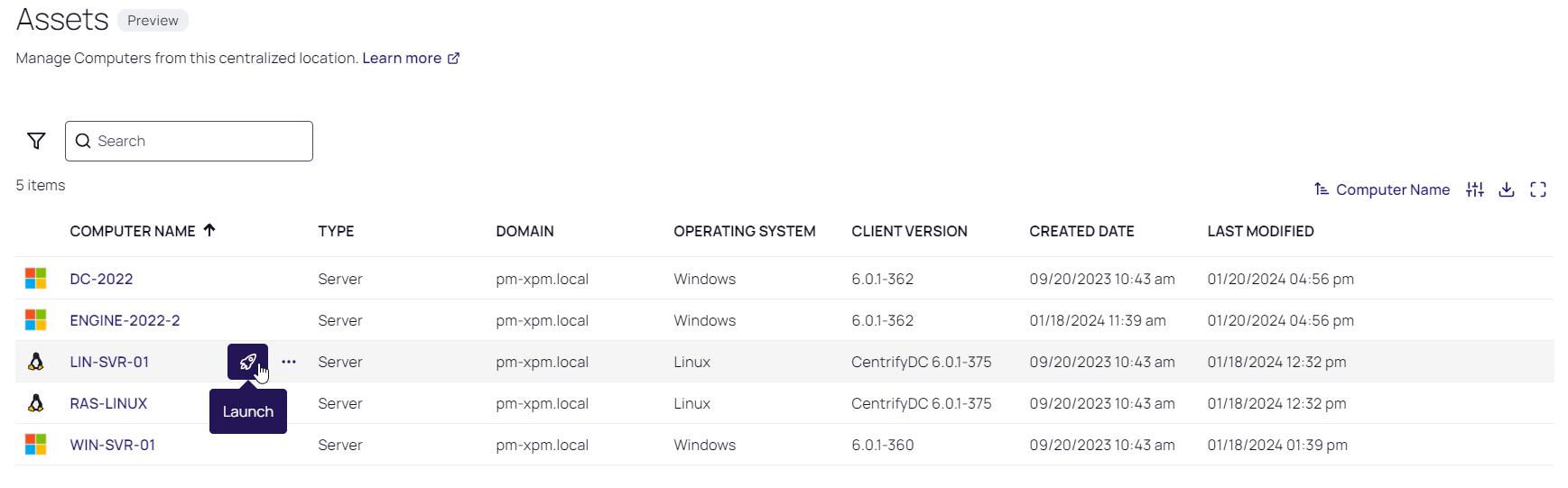
From the left navigation, select Inventory.
-
Find the server with the agent installed.
To access a server where the Privilege Control Agent is installed, the agent must be joined to the domain and zone.
-
Hover your cursor over the row with the target computer, and click the launch icon.
-
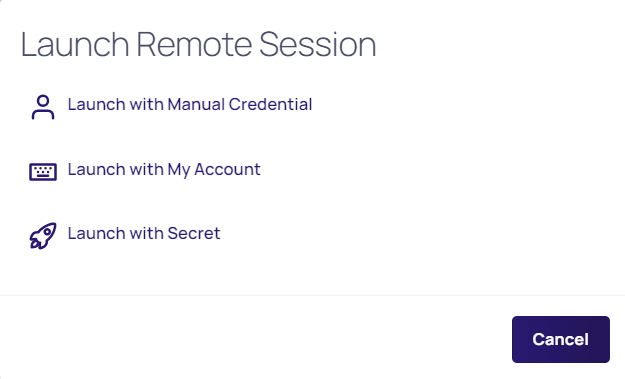
Select Launch with My Account.